Disclosure: BestFishingReviews.com is a participant in the Amazon Services LLC Associates Program. If you buy something through our links, we may earn a small commission at no extra cost to you.
Your buddy who always limits out isn’t necessarily a better caster — he just knows where to go. That’s the whole game with fishing apps. The right one puts you on productive water faster, whether you’re chasing largemouth on a local reservoir, tracking tides for redfish, or exploring a river system you’ve never touched. The app market has exploded over the last few years, and not all of them are worth the storage space on your phone. We dug into seven of the most popular options — free features, paid tiers, map quality, community data, and real-world usefulness — so you can pick the one that actually matches how you fish. Some of these are dead simple. Some are surprisingly deep. All of them are better than guessing.
See current price & availability on AmazonCheck on Amazon →How We Picked
We evaluated each app on four things: the quality and accuracy of the maps, how useful the free version actually is before they ask for your credit card, whether the community data (catch logs, spot pins, species reports) is robust enough to trust, and how well the app handles the specific use cases — freshwater lakes, coastal saltwater, rivers, and trip logging. Apps that looked good in screenshots but fell apart on the water didn’t make the cut.
1. Fishbrain — Best for Social Catch Data and Community Hotspots
Fishbrain is the biggest fishing social network on the market, and that scale is its biggest strength. With millions of logged catches tied to GPS locations, you can pull up almost any fishery in the US and see what species are being caught, what baits are working, and roughly where anglers are finding fish. The free version gives you access to a decent slice of that data, but the Pro tier ($9.99/month or around $69.99/year) unlocks precise catch locations, depth maps, and a bait recommendation engine that’s actually smarter than it sounds. The community skews toward bass anglers and freshwater, which is worth knowing. If you’re a saltwater guy chasing pelagics offshore, the data thins out fast. But for lake fishing anywhere in the lower 48, the catch density on Fishbrain is hard to beat. The app is clean, the UI doesn’t fight you, and the social feed keeps things interesting between trips. Check out Fishbrain-compatible accessories on Amazon.
Best for: Freshwater anglers who want crowd-sourced hotspot data and a community to learn from.
- Pro: Massive US catch database with GPS-tagged logs
- Pro: Bait and lure recommendations tied to real local data
- Pro: Clean, beginner-friendly interface
- Con: Saltwater and offshore data is noticeably thin
- Con: Precise spot locations locked behind Pro paywall
- Con: Social feed can feel noisy if you just want the data
2. Navionics — Best for Serious Map Depth and Marine Navigation
If maps are your priority — and they should be — Navionics is in a different league. Originally built for marine navigation, it carries the most detailed nautical and lake bathymetric charts available in a consumer app. The SonarChart layer, built from crowdsourced sonar logs, updates constantly and delivers high-resolution depth contours on thousands of lakes and coastal areas that other apps show as a flat blue blob. The Boating app subscription runs around $29.99/year, which is genuinely cheap for what you’re getting. For freshwater bass anglers, the contour detail helps you find drop-offs, humps, and creek channels without burning a tank of gas running your own sonar. For saltwater, the tidal data and navigation charts are legitimate tools, not toys. The one knock: it’s a navigation app with fishing features, not a fishing app with navigation features. The community catch-log side is lighter than Fishbrain or Anglr. But if you want to look at water like a fish sees it, nothing beats it. Browse Navionics map chips and cards on Amazon.
Best for: Boat anglers — freshwater and saltwater — who need precise depth maps and navigation capability.
- Pro: Best-in-class bathymetric and nautical charts
- Pro: SonarChart layer is genuinely useful for finding structure
- Pro: Solid tidal data and marine navigation for saltwater fishing
- Con: Community/social catch data is limited compared to competitors
- Con: Interface can feel utilitarian — it’s built for navigators first
- Con: Lake chip cards for fish finders cost extra beyond the app
3. onX Fish — Best for Public Land Access and Multi-Species Planning
onX built its reputation in the hunting world with the best public-land mapping available, and when they launched onX Fish, they brought that same obsession with land ownership and access data to the fishing side. That’s the killer feature here: you can see exactly which river stretches are accessible, where public boat ramps are, which banks are private, and how to legally get to remote water that most anglers drive right past. If you fish rivers and streams, or you’re always looking for overlooked public water, this is your app. The Premium subscription (around $29.99/year) also includes offline map access, which is a big deal when you’re heading into a canyon or remote reservoir with spotty cell service. The fishing-specific data — species filters, hatch charts for fly fishing, regulation overlays — is solid and improving. It’s not as socially driven as Fishbrain, but for the angler who wants to find new water rather than follow the crowd, onX Fish thinks differently than everything else on this list. Find onX-compatible gear and accessories on Amazon.
Best for: River anglers, fly fishermen, and explorers who want public-access mapping and land ownership data.
- Pro: Best public-land and river-access mapping in the category
- Pro: Offline maps work reliably in remote areas
- Pro: Regulation and access overlays reduce legal headaches
- Con: Community catch data is thinner than Fishbrain
- Con: Less useful for offshore or open-water saltwater fishing
- Con: Premium features require a subscription to unlock the real value
4. Anglr — Best for Detailed Trip Logging and Personal Data Tracking
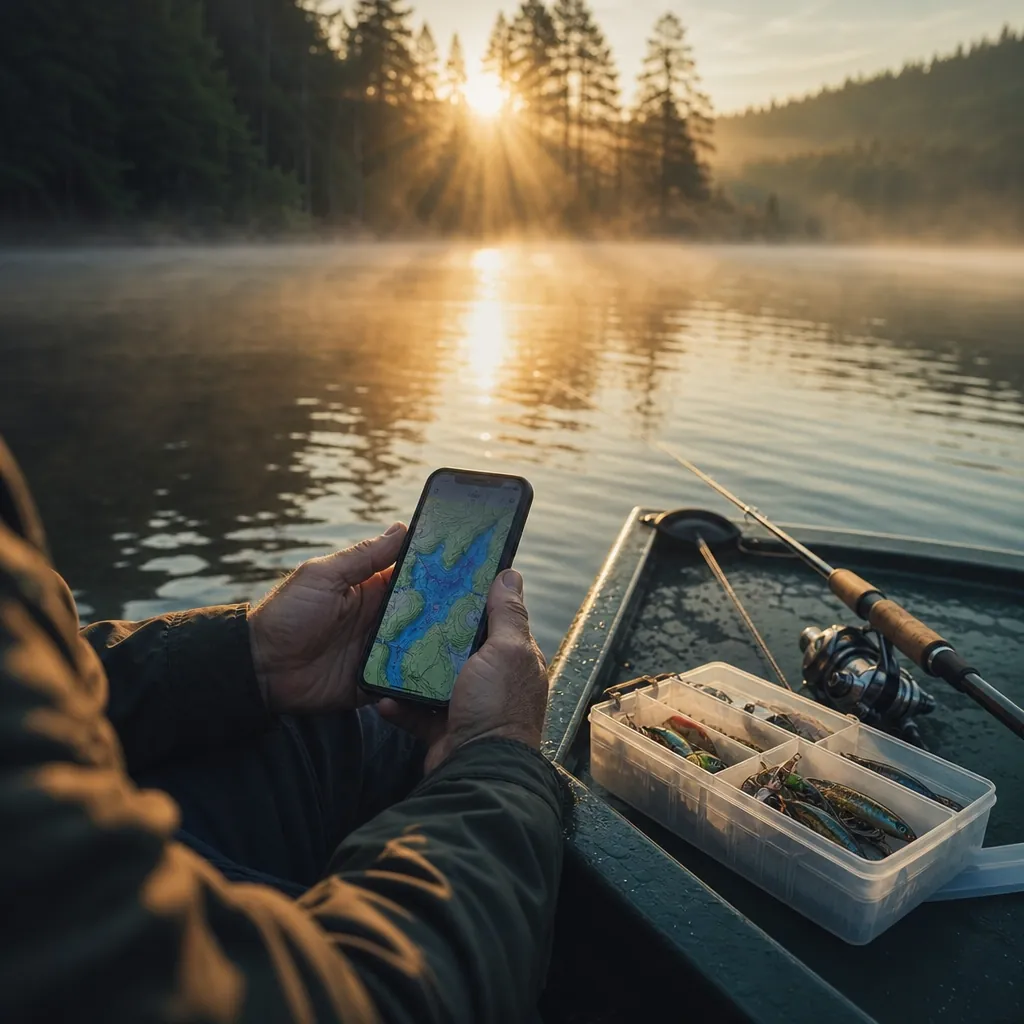
Anglr takes a different angle (sorry) than most apps on this list. Instead of pointing you to other people’s hotspots, it helps you build your own database of what’s working for you. The trip-logging system is the most detailed you’ll find: you can track weather, water temp, barometric pressure, tides, lures used, retrieve speed, and exactly where you caught each fish on a satellite map — all from one session log. Over time, you build a personal playbook that’s worth more than any generic hotspot tip. The free version is functional, but the Anglr Pro tier (around $39.99/year) unlocks the full data dashboard, tournament tools, and team-sharing features that serious anglers and fishing clubs love. The Bullseye tracker device pairs with the app to auto-log your boat’s GPS track in real time, which is a slick feature if you’re into that level of detail. Community catch data is lighter than Fishbrain, so don’t go in expecting a crowd-sourced hotspot map. Think of Anglr as your personal fishing journal — one that happens to be smarter than any notebook. Check out the Anglr Bullseye tracker on Amazon.
Best for: Dedicated anglers who want to track their own patterns and build a personal catch database over time.
- Pro: Most detailed trip-logging system available in any fishing app
- Pro: Pairs with hardware tracker for automatic GPS route logging
- Pro: Tournament and team-sharing features are genuinely useful
- Con: Community-sourced hotspot data is limited
- Con: Full value requires both a Pro subscription and the hardware device
- Con: Steeper learning curve than simpler apps like Fishbrain
5. Pro Angler — Best Free Option for Casual Lake Fishermen
Pro Angler doesn’t have the name recognition of Navionics or Fishbrain, but it punches above its weight for a free app. It aggregates lake maps, local fishing reports, weather overlays, and a decent catch-log system without nagging you for a credit card every five minutes. The lake maps aren’t as detailed as Navionics’ SonarCharts, but for most popular reservoirs and state park lakes in the US, you get usable contour data and fishing-pressure indicators that help you identify likely holding spots. The app also surfaces state fishing regulation data by location, which is a legitimately useful feature that saves you a trip to the DNR website. The paid premium tier exists but the free version is more complete than most apps bother to offer. If you’re a weekend lake angler who doesn’t want to commit to a subscription right away, Pro Angler is the most honest free option on the market — it gives you enough to actually make decisions on the water without constantly dangling upgrades in your face.
Best for: Casual freshwater anglers who want useful lake maps and reports without a subscription commitment.
- Pro: Genuinely useful free tier — not a stripped demo
- Pro: State regulation data integrated by GPS location
- Pro: Clean interface that’s easy to navigate mid-trip
- Con: Map depth and contour detail trails Navionics significantly
- Con: Smaller user community means less crowd-sourced catch data
- Con: Saltwater and offshore functionality is minimal
6. FishAngler — Best for Saltwater and Coastal Fishing Communities
FishAngler is the app Fishbrain wishes it was for saltwater anglers. The community skews heavily coastal — you’ll find solid catch data for redfish, snook, flounder, speckled trout, and nearshore species in a way that the freshwater-dominant apps just can’t match. The social features are well-built: you can follow local guides, see recent catches from your target area, and filter by species to find out what’s biting right now within a radius of your location. The free version is reasonably open, and the Pro tier adds precise GPS coordinates on logged catches, tide and solunar data, and an offline map mode. The interface is a little busier than Fishbrain, but you get used to it. If you’re fishing the Gulf Coast, the Southeast Atlantic coast, or really anywhere inshore saltwater in the US, FishAngler’s community data is the most relevant you’ll find in any app on this list. It’s not built for the Great Lakes or mountain trout streams — but along the coast, it earns its spot on your phone. Browse inshore saltwater fishing gear on Amazon.
Best for: Inshore and coastal saltwater anglers who want community-driven catch data relevant to their fishery.
- Pro: Best saltwater community catch data of any app on this list
- Pro: Strong inshore species coverage along US Gulf and Atlantic coasts
- Pro: Guide and local angler network is genuinely active
- Con: Freshwater and inland lake data is noticeably weaker
- Con: Interface feels busier and less polished than Fishbrain
- Con: Precise catch locations still require a paid Pro subscription
7. FishingNotes — Best for Minimalist Personal Journaling
FishingNotes is the odd one out on this list, and that’s exactly why it’s here. It doesn’t have a massive community, it won’t point you to secret hotspots, and it doesn’t generate bait recommendations from an algorithm. What it does — cleanly and without fuss — is let you log your fishing trips in a straightforward, private journal format with GPS locations, species, gear notes, weather, and photos. If you fish the same waters week in and week out and you want to build a private record of what you observed without sharing it with a corporation’s database, FishingNotes is the no-noise choice. The app is lightweight, works offline, and won’t drain your battery mid-trip. It’s free with a modest one-time paid unlock for full features. For the angler who keeps a paper logbook and wants the digital equivalent — without the social-media-app overhead — this is it. It’s the Honda Civic of fishing apps: not exciting, completely reliable, does exactly what it promises.
Best for: Private, detail-oriented anglers who want a clean personal logbook without social features or subscriptions.
- Pro: Minimal, distraction-free interface for focused trip logging
- Pro: Works offline reliably — no cell service required
- Pro: One-time purchase model, no recurring subscription
- Con: No community data, hotspot maps, or crowd-sourced catch reports
- Con: Won’t help you find new water — purely a personal record tool
- Con: Lacks the advanced analytics and dashboards of Anglr
Quick Comparison
- Fishbrain — Best crowd-sourced freshwater hotspot data; strong free tier, great Pro value for lake anglers
- Navionics — Best maps, period; go-to for boat anglers who need real depth contours and marine navigation
- onX Fish — Best for finding legal public access to rivers and overlooked water; ideal for stream and fly anglers
- Anglr — Best personal data tracking; build your own catch database with trip-by-trip detail
- Pro Angler — Best free option for casual lake fishing without subscription pressure
- FishAngler — Best community data for inshore and coastal saltwater anglers along the US coast
- FishingNotes — Best minimalist logbook; private, offline-friendly, one-time cost
None of these apps will catch fish for you — but the right one will put you in front of more of them. The way we see it: if you’re a lake bass angler, start with Fishbrain. If you run a boat and need real maps, get Navionics. Chasing redfish on the coast? FishAngler. Hunting new public river water? onX Fish. Obsessive about tracking your own patterns? Anglr. Want something simple and free? Pro Angler. Just want a private logbook? FishingNotes. Pick one that fits your actual fishing, put in the time to log your trips, and you’ll start seeing patterns that no algorithm can give you on its own.


